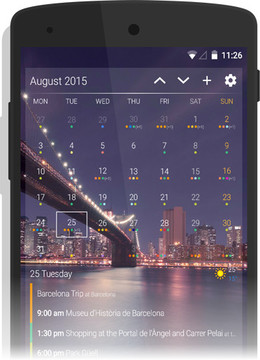
Select the widget that best suits your preference for a quick view into your agenda for the day, week or month.
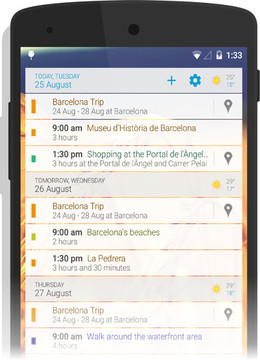
Just like the agenda calendar view, all your appointments are listed in chronological order for easy scrolling.
All the day’s events are displayed in a single tile, with easy navigation buttons to scroll up and down between dates. You can quickly add events or change configurations using the shortcut buttons.

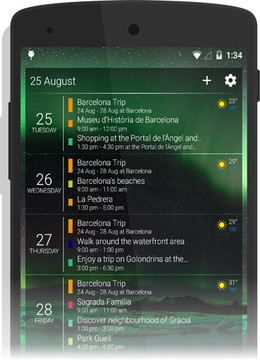
Multiple days are displayed in one scrollable list. You can customize how many days to dis- play in the this widget view.
You can set how many rows and columns you want to see in this widget. Design your own widget in endless variations to stuit your preferences!
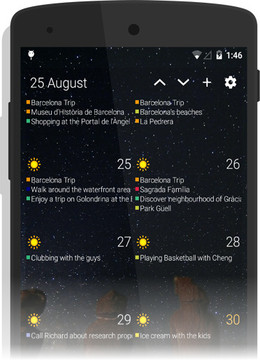

You get one easy overview of all appointments for the whole month in this widget. Scroll through the months by using the arrow buttons and edit other options such as the theme, font size, which calendars to display, toggle the weather and hide or show event start and end
Our latest widget has a clean and simple design, using colored dots to show the number and type of events that are scheduled for each day. Tap on a day and you will be shown a very handy scrollable list of your appointments below the month overview. It is one of the most convenient and powerful widgets in our selection